Screen time rules for kids 6 to 10
Short answer
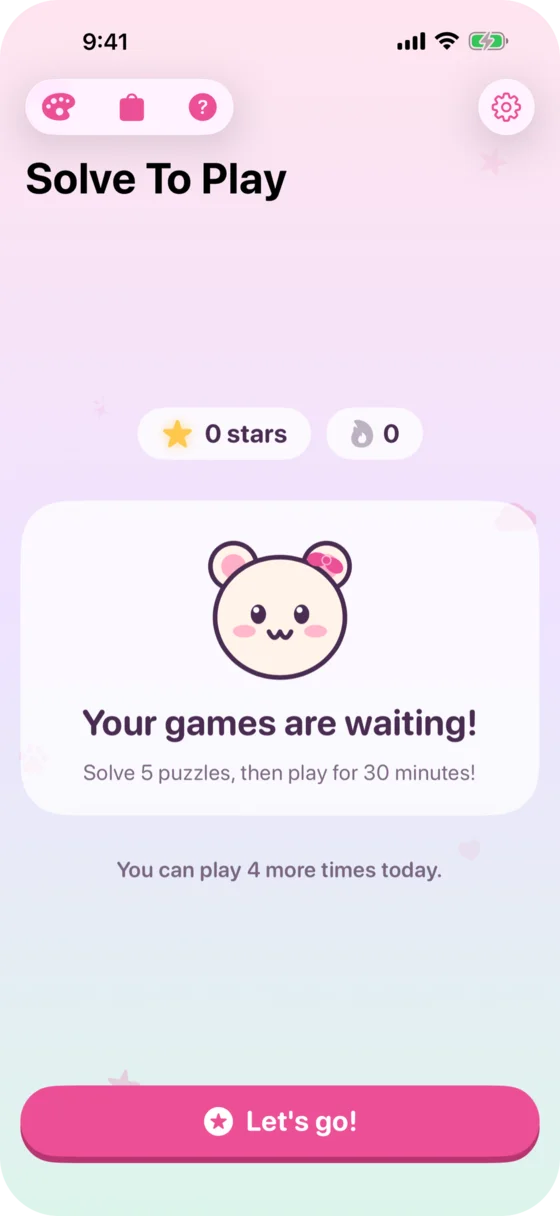
There is no single number. Canada and Australia recommend no more than 2 hours of recreational screen time a day for kids 5 to 17, while the American Academy of Pediatrics and the UK's Royal College of Paediatrics leave the number to each family. Most fights come from enforcing the rule, not from the number. Here are rules that help and how to let the iPhone or iPad hold them.
On this page
What the guidelines say
| Country | Who | Recommendation for school-age kids |
|---|---|---|
| US | American Academy of Pediatrics | Consistent limits on how long and on which kinds of media, but no fixed number. Screen-free times like meals and screen-free places like bedrooms. A family media plan. |
| UK | Royal College of Paediatrics and Child Health (2019) | No cut-off, because the evidence doesn’t support one. Families agree on limits that fit their kid. No screens in the hour before bed. |
| Canada | 24-Hour Movement Guidelines | No more than 2 hours of recreational screen time a day (ages 5 to 17). |
| Australia | 24-Hour Movement Guidelines | No more than 2 hours of recreational screen time a day (ages 5 to 17). Screens used for school are counted separately. |
All of them say that screens shouldn’t push out sleep, physical activity and time with family.
Why there’s a fight anyway
The number is rarely the problem. Enforcing it is. Whoever takes the tablet away is the bad guy, and every exception turns into the next negotiation. The more often the rule is up for debate, the more often there is a fight.
Rules that help
- Fixed times instead of daily deals. When the rule is the same every day, there is less to negotiate.
- Write it down together. A family media plan says what applies: how long, when, which apps and what happens with exceptions. The American Academy of Pediatrics has a free Family Media Plan.
- Times and places without screens. Meals, bedrooms and the hour before bed, as the AAP and the RCPCH recommend.
- Must-dos first, then games. Many families tie screen time to finished homework. What matters is that the condition is the same every day.
Let the technology hold the rule
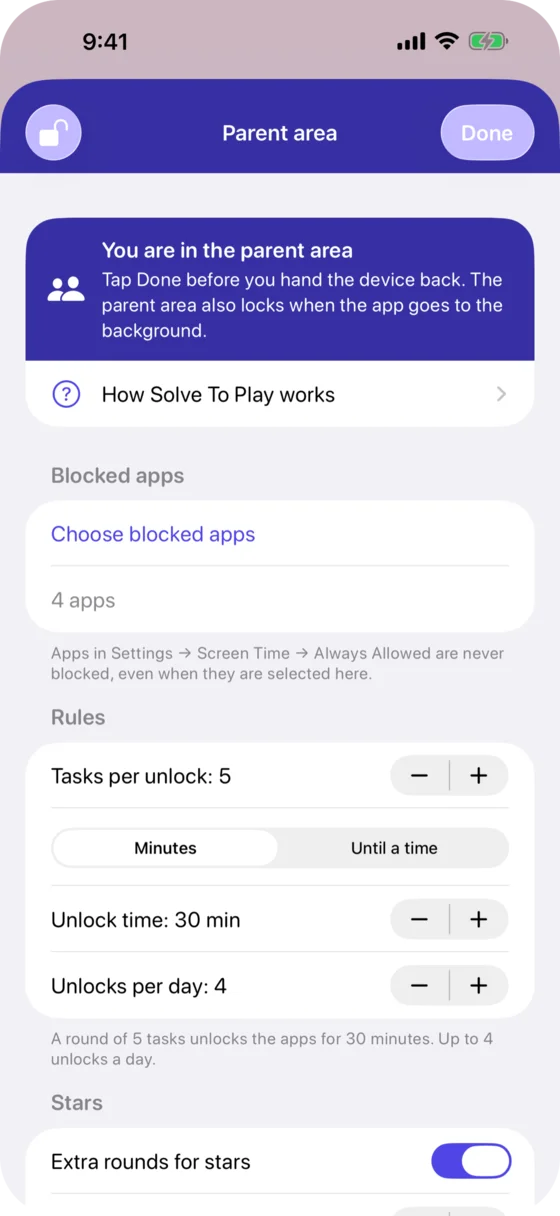
Apple’s Screen Time can lock apps at set times (Downtime) and limit how long they are used (App Limits). Solve To Play uses Screen Time to lock the apps you pick and opens them when your kid has solved a round of math tasks:
- Unlock time times unlocks per day is the daily screen time. The defaults, 4 unlocks of 30 minutes, add up to 2 hours. For 1 hour, use 2 unlocks of 30 minutes.
- iOS does the switching off. When the unlock time is over, the apps lock again by themselves.
- Math first, then games. The tasks follow your kid’s school grade, from Kindergarten to 4th grade. There is no timer.
- The rule stays with you. The settings are behind your parent PIN. For a special day, you give a bonus unlock that doesn’t count toward the daily limit.
Questions parents ask
Does homework on the iPad count as screen time?
Australia’s guidelines limit recreational screen time, so screens used for school don’t count toward the 2 hours. In Solve To Play, apps you don’t select stay open, such as the learning app your kid’s school uses.
What is a family media plan?
A written agreement about screens that parents and kids make together. The American Academy of Pediatrics has a free online Family Media Plan.
How do I set 1 hour a day in Solve To Play?
With the unlock time and the unlocks per day: for example 2 unlocks of 30 minutes each, or 4 of 15 minutes. A bonus unlock from you doesn’t count toward the limit.
Isn’t screen time as a reward a bad idea?
The tasks never add time beyond the limit you set. They only decide when the playtime starts. More on this in the guide Is screen time as a reward a bad idea?.
Sources
- American Academy of Pediatrics: Family Media Plan and its 2016 recommendations on media use for children 6 and older.
- Royal College of Paediatrics and Child Health: The health impacts of screen time, a guide for clinicians and parents (2019), summarized by the UK Safer Internet Centre.
- Canadian Society for Exercise Physiology: 24-Hour Movement Guidelines for Children and Youth.
- Australian Government Department of Health: 24-hour movement guidelines for children and young people, 5 to 17 years (PDF).
More guides
Is screen time as a reward a bad idea?
What research says about screen time as a reward, and how to set up math before games so the daily limit stays and math doesn't turn into a chore.
In what order should kids learn the times tables?
The order schools in England, the US and Germany teach the times tables, the easy rows to start with, the tricks that save memorizing, and how to practice.
An app that makes kids earn screen time with math
How your kid solves a few math tasks before games and YouTube open on an iPhone or iPad: what Apple's Screen Time can do, and what Solve To Play adds.