An app that makes kids earn screen time with math
Short answer
Yes, this works on iPhone and iPad. Apple's Screen Time can't do it on its own, but an app can use Screen Time to keep the apps you pick locked until your kid has solved a few math tasks. Solve To Play is one of these apps. Here is how it works and how to set it up.
On this page
What Apple’s Screen Time can do
Screen Time on iPhone and iPad has Downtime, App Limits and Ask For More Time. All of them work with time. An app stays open until its limit is used up, and when your kid wants more, they send you a request that you approve or decline. There is no setting like “open YouTube after ten times-tables tasks”.
On Amazon’s Fire tablets, Amazon Kids can keep games locked until your kid has spent a set time with learning apps or books. iPhone and iPad have nothing like it. Solve To Play does something similar there, but it counts solved tasks instead of minutes.
How Solve To Play adds the math
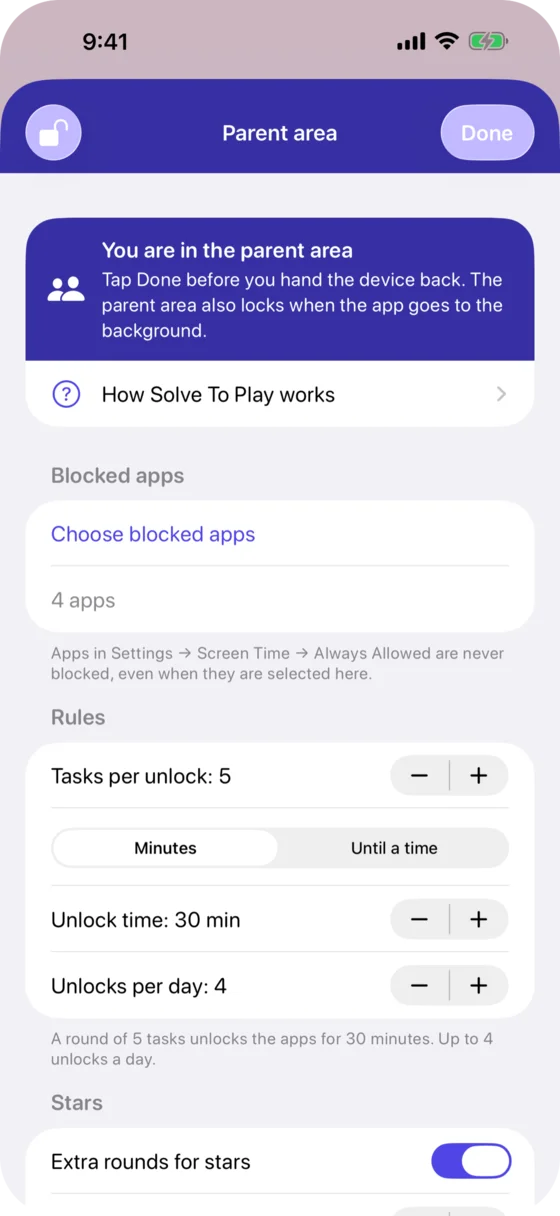
- You pick the apps, categories and websites that stay locked, such as games, YouTube or TikTok. iOS keeps them locked, so closing Solve To Play changes nothing.
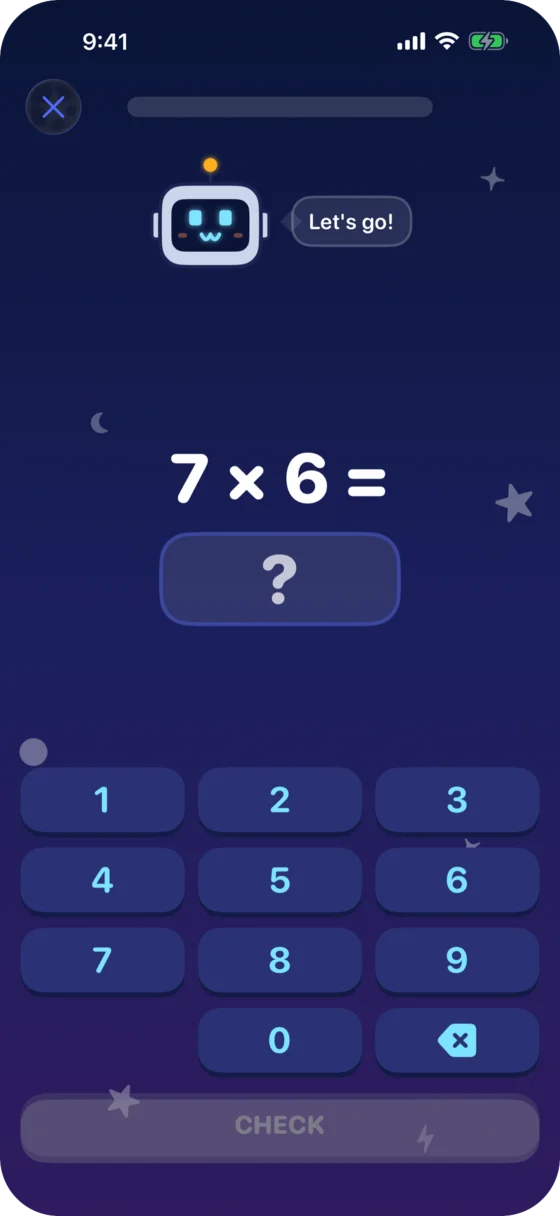
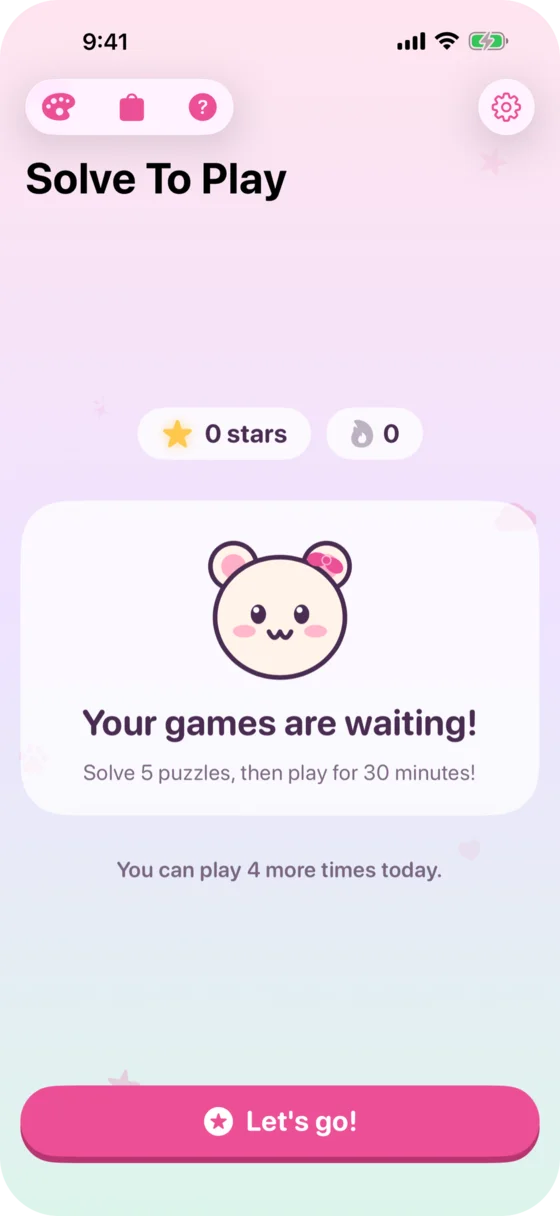
- When your kid opens a locked app, iOS shows a block screen with “Start puzzles”. Tapping it sends a notification that opens a round of math tasks: 5 tasks unless you change it (3 to 20).
- When the round is solved, the locked apps open for a set time, 30 minutes unless you change it (5 minutes to 3 hours). Then they lock again.
- You set how many unlocks a day are allowed: 4 unless you change it, up to 12 or no limit. A bonus unlock from you doesn’t count toward that.
Which math
The setup asks for your kid’s school grade, from Kindergarten to 4th grade, and switches on the matching task types: addition and subtraction up to 10 or 20 in the first years, times tables and division from 3rd grade. There are 26 task types in all, among them the clock, the number line, place value and fractions of an amount. You can switch each one on or off and set its numbers.
There is no timer. A wrong answer stays for another try, and a picture of dots helps with small numbers. After the third wrong try the app shows the answer and your kid types it in. Tasks your kid missed turn up again in later rounds.
If numbers are hard for your kid, the Extra help switch shows the dot picture sooner, and task types like Quick look and the ten-frame practice seeing amounts without counting.
What you need
- An iPhone or iPad with iOS 18 or later.
- Best: your kid’s own device, signed in with a child Apple Account in your Family Sharing group. You allow Screen Time access once with your own Apple Account, and your kid can’t delete the app without you.
- If your kid uses your iPhone or iPad, choose “Shared with my kid” in the setup. The apps you pick then lock for everyone on that device, and you open them for yourself with a bonus unlock. On a shared device your kid could delete the app.
Setting it up
- Install Solve To Play on the iPhone or iPad your kid uses.
- Open the app and tap whose device it is: “My kid’s iPhone”, or “Shared with my kid” for your own iPhone or iPad that your kid uses too.
- Choose a 4-digit parent PIN and your kid’s school grade.
- Allow Screen Time access: on your kid’s device with your own Apple Account, on a shared device with its passcode.
- Pick the apps, categories and websites that should need tasks first.
- Allow notifications. They open the tasks when your kid taps “Start puzzles” on a locked app.
Questions parents ask
Can my kid get around the lock?
iOS does the blocking, and the settings are behind your parent PIN. With a child Apple Account in your Family Sharing group, your kid can’t delete Solve To Play or switch off its Screen Time access without your approval. On a shared device set up with its passcode, your kid could delete the app.
Does it work on iPad?
Yes. Solve To Play runs on iPhone and iPad with iOS or iPadOS 18 or later.
Is there an Android version?
No. Solve To Play uses Apple’s Screen Time and runs only on iPhone and iPad.
Isn’t screen time as a reward a bad idea?
The tasks never add time beyond the limit you set. They only decide when the playtime starts. More on this in the guide Is screen time as a reward a bad idea?.
More guides
Screen time rules for kids 6 to 10
What US, UK, Canadian and Australian guidelines say about screen time for kids 6 to 10, which rules cut the daily fight, and how to let the iPad hold the rule.
Is screen time as a reward a bad idea?
What research says about screen time as a reward, and how to set up math before games so the daily limit stays and math doesn't turn into a chore.
In what order should kids learn the times tables?
The order schools in England, the US and Germany teach the times tables, the easy rows to start with, the tricks that save memorizing, and how to practice.